Job tracker for the trade

Every job.
Every hour.
Every penny.

Log a job in seconds, keep every photo and price against it, clock on and off as you work, and always know what you're owed. Built for people who'd rather be on the tools than doing paperwork.

Free for up to 10 work orders a month. No card needed to start.
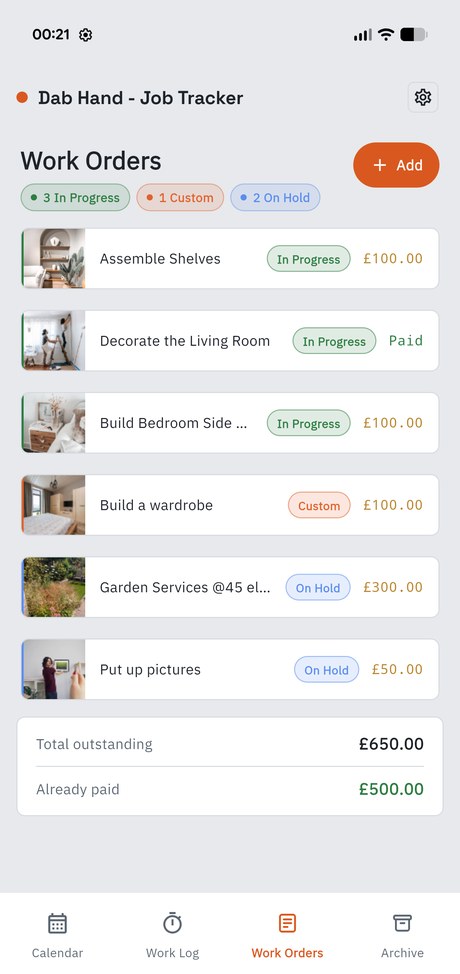
The Dab Hand work orders list, showing jobs with photos, status pills and prices
What it does

Everything a job needs, nothing it doesn't.

No modules to configure, no onboarding call. Sign in and start logging work.

Every job, one place

Title, description, price, due date. In Progress, On Hold, Completed — or build your own statuses in whatever colours make sense to you.

Photos that stay put

Attach photos straight from your phone. Before, during, after — all filed against the job they belong to, not lost in your camera roll.

Hours, tracked properly

Clock on when you arrive. The time keeps counting with your phone in your pocket, and lands against the job when you stop.

Know what's outstanding

A running total of what you're still owed, and a separate figure for what's already been paid. Hide both with one tap when a customer's looking.

See the week coming

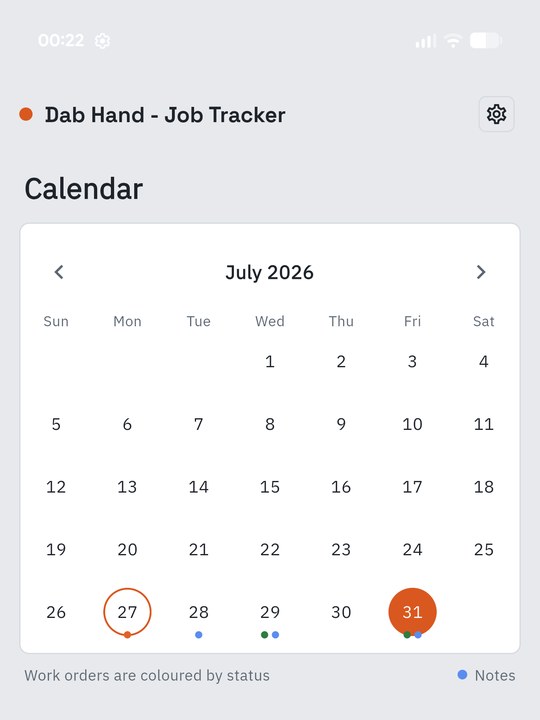
Due dates land on a calendar, colour-coded by status, with notes for the things that aren't jobs.

Filed, not forgotten

Mark a job complete and it moves into the archive — still there months later when the customer rings about it.
A look inside

Three screens, and you're running the day.

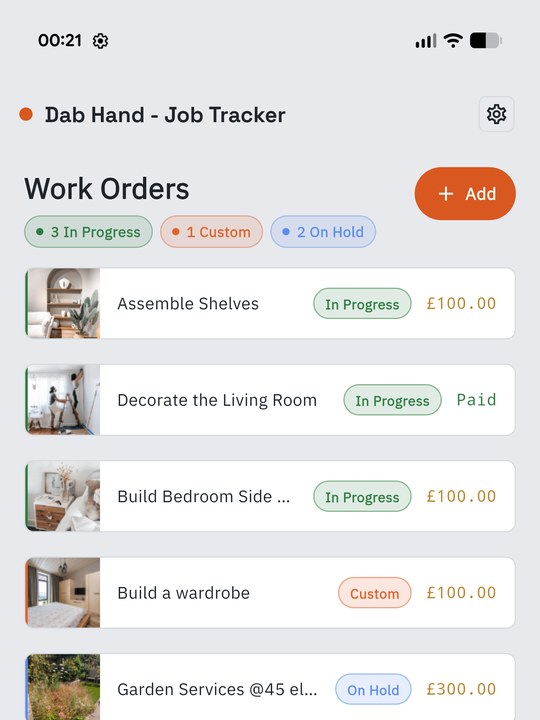
Work orders list with photos, status pills, prices and running totals
Work ordersPhotos, prices and status, with totals at the bottom.
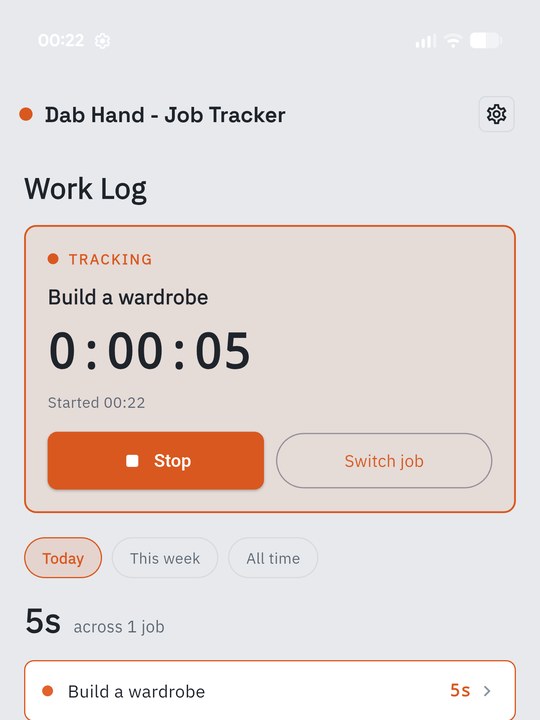
The work log with a live timer running against a job
Work logOne tap to start, and a breakdown of where the day went.
Month calendar with jobs colour-coded by status
CalendarDue dates and notes, colour-coded by status.
Time tracking

Get paid for every hour.

The hours you don't write down are the ones you never bill for.

  • Tap start on site. Close the app, lock the phone — the clock is still right
  • Nothing runs in the background, so it costs you no battery
  • Clocked on and forgot? A nudge after eight hours
  • Fix a session afterwards, or add time by hand for work done off-phone
  • Totals by day, by week, or all time — job by job
A job being timed in Dab Hand, with a stop button and today's total
Make it yours

Six themes. Built to actually be usable.

Beyond light and dark, Dab Hand includes a colourblind-friendly theme built on the Okabe-Ito palette and a dyslexia-friendly theme based on published readability guidance. Genuine options, not afterthoughts.
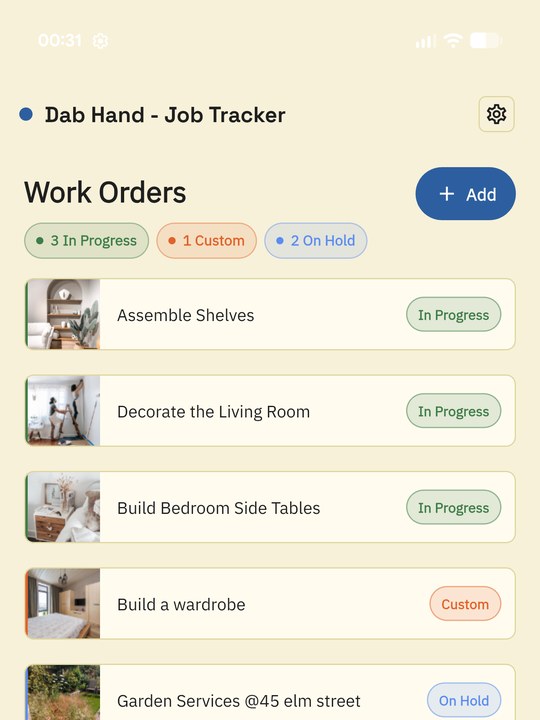
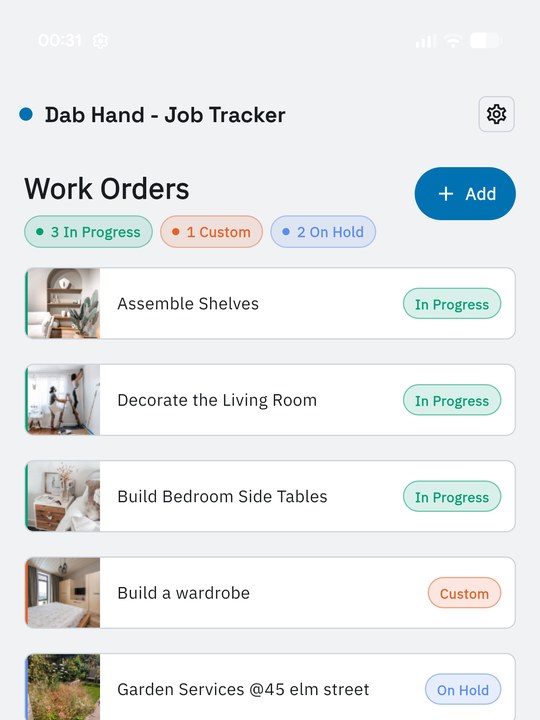
Dark Light Pastel 1 Pastel 2 Colourblind-friendly Dyslexia-friendly
Dab Hand in its dyslexia-friendly theme, on a cream background
Dyslexia-friendlyCream instead of glaring white, with wider letter spacing and line height.
Dab Hand in its colourblind-friendly theme, using the Okabe-Ito palette
Colourblind-friendlyStatus colours that stay apart across protanopia, deuteranopia and tritanopia.
Pricing

Start free. Upgrade when the work does.

Standard

Free

Up to 10 work orders a month

  • Jobs with photos, prices and due dates
  • Calendar and notes
  • All six themes and layouts
  • Archive and biometric lock
Professional
£7.99 / month

or £79.90 a year — save 17%, cancel any time

  • Everything in Standard
  • Unlimited work orders
  • Time tracking against any job
  • Full work log with editable sessions

Subscriptions are billed through Google Play or the App Store and renew automatically unless cancelled at least 24 hours before the end of the period. Manage or cancel any time in your store account settings.

Questions

Before you download.

Does the timer keep running if I close the app?
Yes. Dab Hand records when you clocked on and works the elapsed time out from that, so there's nothing running in the background to interrupt. Close the app, lock your phone, restart it — the clock is still right when you come back.
Do I need an internet connection?
Your jobs are stored in your account so they survive a lost or replaced phone, which means you need a connection to load and save changes.
Can I use it on more than one device?
Your work and your subscription follow your account, not the handset, so you can move between a phone and a tablet freely — just not at the same time. For security you're signed in on one device at a time, so switching means closing Dab Hand on the one you've finished with.
What happens to my photos over time?
You choose. Dab Hand can clear photos off completed jobs after a set number of months to keep storage down, or leave them alone entirely. The job records themselves — title, price, description, dates — are always kept.
How do I delete my account?
Settings → Delete account, inside the app. It removes your jobs, photos, time sessions and profile. There's more detail on the delete account page.

Stop chasing paperwork.

Free for up to 10 work orders a month. Nothing to set up.